5 Best Small SUVs for Tech and Infotainment
Updated July 17, 2026 · Ranked from moblr's independent scores
The infotainment screen is the most-touched surface in a modern small SUV — and the one buyers most often regret when they get it wrong. Laggy screens, tangled CarPlay cables, and menus buried three layers deep turn a $35,000 vehicle into a daily frustration. This list ranks the five small SUVs in moblr's current lineup by their independent driver-and-passenger UX score, which weighs screen responsiveness, wireless smartphone integration, Bluetooth reliability, physical-button balance, and voice-command usefulness.
How we ranked these
The 'Driver & Pass UX' score in moblr's ratings covers the entire in-cabin technology experience: touchscreen response and menu logic, wireless Apple CarPlay and Android Auto reliability, Bluetooth pairing and stability, retention of physical climate/audio controls, voice-command competence, and the learning curve for common daily tasks. Reviewers spend enough time in each vehicle to hit the edge cases — repeated phone reconnections, deep-menu settings, real-world CarPlay dropouts — not just a five-minute showroom demo.

moblr consensus score: 6.32/10
Base price: $25,300 · 27 mpg combined
moblr's review calls the user experience a definitive strong suit of the Trailblazer, anchored by a large, modern infotainment system that reviewers praise as intuitive and responsive, with clear icons and a simple menu structure. A significant advantage is the retention of physical buttons and knobs for essential climate and audio functions, making them easier and safer to use while driving. Wireless Apple CarPlay and Android Auto integration is described as seamless, Bluetooth pairing is stable, and only the native voice command struggles with more complex requests — a common limitation in the class.
Read the full review →
moblr consensus score: 5.95/10
Base price: $21,700 · 30 mpg combined
moblr's review says the Trax LS user experience centers on a touchscreen infotainment system with large, clear icons and an intuitive menu structure that requires almost no learning curve, with response quick enough for daily use. A significant positive is standard wireless Apple CarPlay and Android Auto — a feature that often requires a cable in competitors' base models — and Bluetooth pairing that is straightforward and reliable. The native voice assistant handles simple requests only, but the overall read is a clean, modern, and largely frustration-free digital experience.
Read the full review →
moblr consensus score: 5.38/10
Base price: $26,200 · 30 mpg combined
moblr's review describes the Encore GX Preferred's large touchscreen as approachable and user-friendly, with clear icons and a logically organized menu that yields a minimal learning curve. The screen is called generally responsive to taps and swipes at an above-average level for the class, and Bluetooth pairing is a strong point — devices connect quickly and stay linked for calls and audio. Voice commands work reliably for simple tasks, though some deeper vehicle settings can be less obvious to locate.
Read the full review →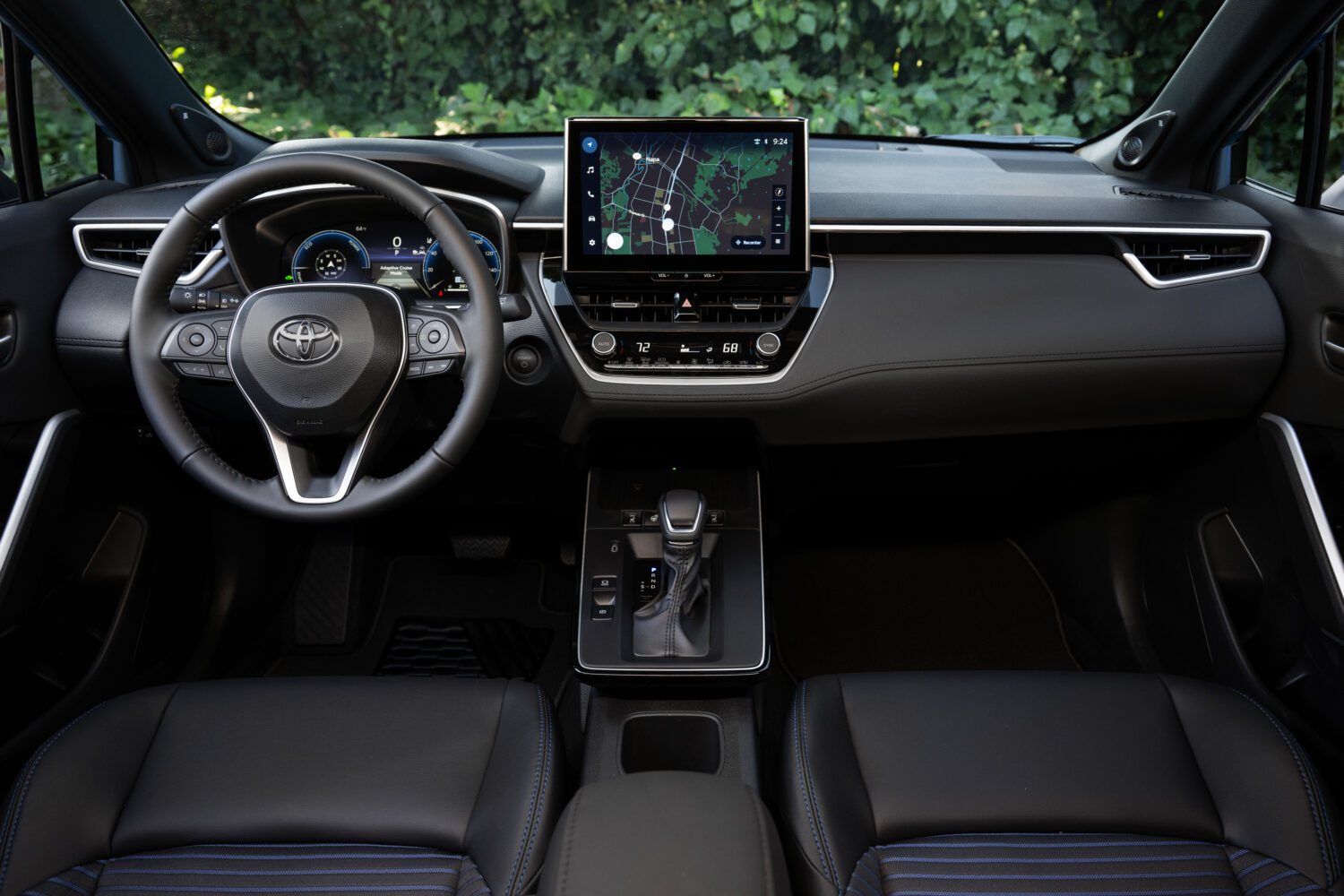
moblr consensus score: 5.29/10
Base price: $25,035 · 42 mpg combined
moblr's review centers the Corolla Cross Hybrid XSE's UX on an 8-inch touchscreen that is responsive, user-friendly, and features an intuitive layout with large, clear icons. The system performs reliably without significant lag or glitches, and Bluetooth pairing is simple with devices reconnecting reliably upon re-entry. Some deeper settings can be buried in sub-menus and the voice interface handles only basic commands well, but overall the system is described as prioritizing ease of use and dependability over flashy design.
Read the full review →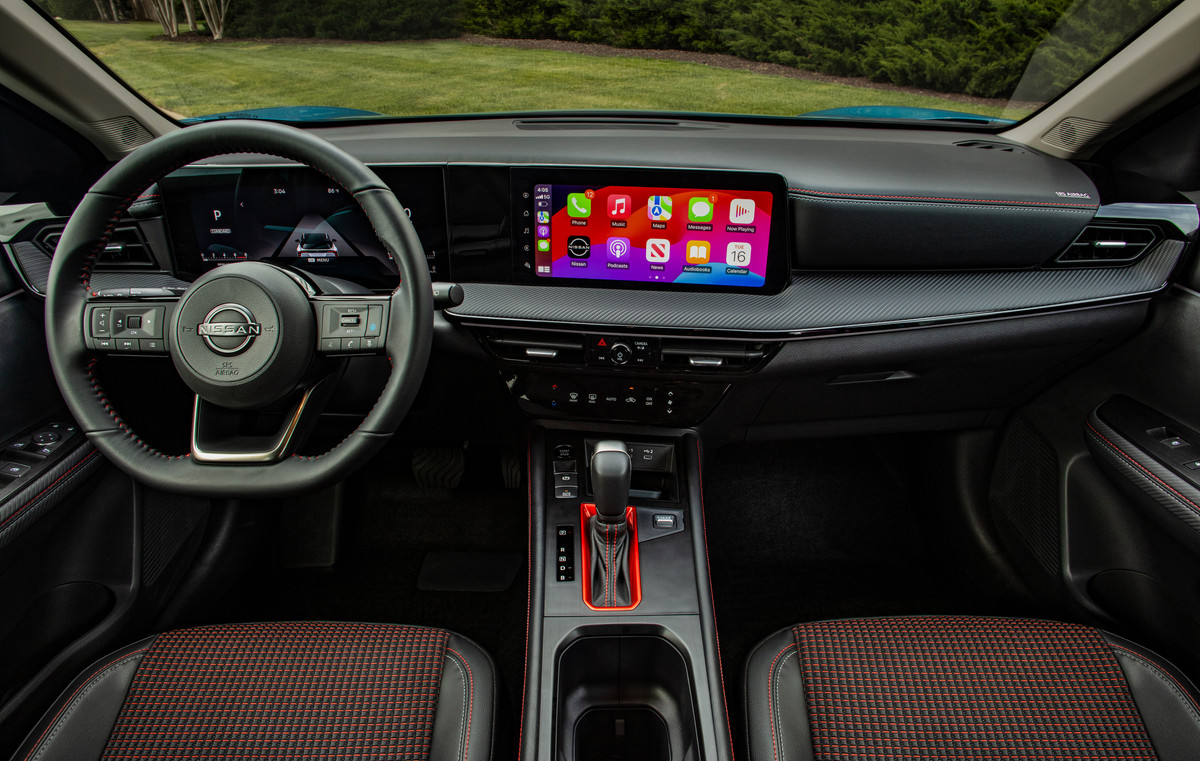
moblr consensus score: 5.28/10
Base price: $22,430 · 31 mpg combined
moblr's review says the Kicks SV FWD user experience is centered on a straightforward infotainment system with a touchscreen featuring large, clear icons, logical menus, and acceptable response time for the segment. Crucially, Nissan retains physical controls for essential functions, reducing the learning curve and minimizing driver distraction. Bluetooth pairing is a simple, quick process that stays stable for most users; the native voice interface works for simple commands but can struggle with more complex requests.
Read the full review →
The bottom line
If daily tech friction is a top concern, this list is your shortlist. The tie-breakers most buyers care about — display size, physical vs. capacitive climate controls, and included connected-services trial length — are all on each vehicle's individual review page.
Frequently asked questions
Does this ranking penalize vehicles that removed physical buttons?
Yes, in the sense that reviewers weigh how easy essential functions (climate, volume, defrost) are to use while driving. Physical knobs and buttons for those functions consistently score better than capacitive touch strips or menu-only controls, because they can be used without looking away from the road.
Is wireless CarPlay and Android Auto standard on all of these?
On most, yes — the segment has moved fast on this in the last two model years. The specific answer for each vehicle is on its individual review page, and any exceptions or asterisks (dongle required, USB-only on base trim, etc.) are called out in the blurb.
Why isn't the largest screen automatically the winner?
Because screen size and screen quality are different things. A 15-inch panel with a laggy processor and a menu structure that requires four taps to change fan speed scores worse than a smaller screen that responds instantly and puts essential controls one tap away. This ranking is about the experience, not the dimensions.
How often is this list updated?
It re-ranks automatically whenever a vehicle's underlying driver-and-passenger UX score changes, and we revisit the editorial commentary when new small SUVs are added to the lineup. The date at the top of the page reflects the most recent editorial pass.